
Continuing professional development (CPD)
Whether you're a veterinary surgeon or veterinary nurse, find everything you need to plan, record and reflect on your CPD.
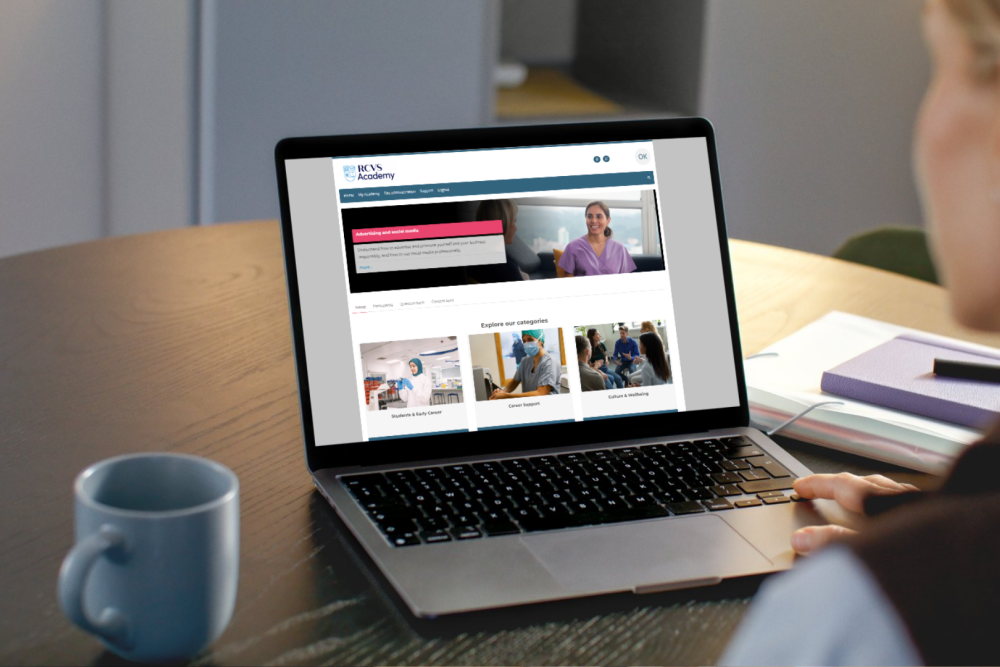
The RCVS Academy is our dedicated free online learning platform for veterinary professionals. Hosting a range of topics, it brings together expertise across the College to offer high quality, engaging and interactive learning.
The RCVS Academy provides relevant, up-to-date courses that support your professional development. Whether you're looking to refresh existing knowledge or explore new areas of veterinary practice, you’ll find flexible courses that fit around your schedule.
The Academy is available to:
Academy courses are designed to provide you with a directed learning pathway in a particular subject area. Each course will state which veterinary professionals it is suitable for. Learning objectives will also support you to select the courses relevant to your role and learning needs.
The Academy is regularly updated with new courses, based on feedback and changes in veterinary practice. Topics are delivered in a variety of formats to suit different learning preferences. New courses are announced on the Academy homepage, and you will see them within your ‘My Academy’ area when they become available.
Academy courses count towards your CPD hours, you just need to update your 1CPD record on completion of a course. You can do this by selecting the link to 1CPD in the right-hand-side navigation menu.
The 1CPD link is also available at the end of each course and module, to help you directly record and reflect on your learning.
If you have the 1CPD app on your phone:
Throughout the year, we hold Academy Live sessions. These live, interactive sessions are a chance to learn from experts and connect with fellow professionals. See our events page for upcoming dates.
You can find a course in the following ways:
Each course is divided into pages. You can navigate through each course by using the next button at the bottom of each page, or by selecting sections from the course information panel located at the top right-hand side of the page.
Once you have navigated through each section you will complete the course by:
Unless your course is mandatory as part of your role, most of our courses allow you to complete as much or as little of the learning as you wish. Some of our courses are divided into modules which are structured to make it easier to navigate and help you to choose the most relevant content.
Throughout your course, you will notice our notes icon, allowing you to make notes as you learn.
View our navigational video which explains how to use our notes-learning tool.
Throughout your course, you will notice our bookmark icon that can save your page.
View our navigational video, which explains how to use our bookmark learning tool to save your last viewed page.
We're here to help with any questions about the RCVS Academy. We also welcome feedback and course suggestions - your input helps shape the Academy's ongoing development.
Contact us at [email protected].
View all the courses we currently offer.